Skip to content
dkh888 Live / Sports
LIVE LOBBY

dkh888 — Cricket, Live Tables and Slots in One Account

From cricket match markets to live dealer tables and slot rooms, your dkh888 account moves across every category without a separate login. Deposit with Nagad, Upay or Bank Transfer and check your wallet balance right from the account page — availability depends on your local law and eligible region.

bKash Nagad Rocket
Browse games
CONTENT / 01

Move Between Sports and Casino Without Leaving

One of the practical reasons Bangladesh players use dkh888 is the shared account structure. You open a single account, fund it once through Nagad, Upay or Bank Transfer, and that same wallet balance is visible whether you are in the sportsbook placing a cricket market bet or in the live casino section at a baccarat t When you switch between the sportsbook and the live casino, your balance updates in the same session without requiring a separate transfer step.

  • Cricket Markets

    Follow IPL, BPL and international cricket fixtures in the sportsbook. The market list for each match is visible once the event is scheduled, and your account wallet covers stakes across all sport categories without a separate transfer.

  • Live Casino Tables

    Live dealer baccarat, roulette and other table variants are accessible directly from the casino tab in your account. Switch from the sportsbook to live tables mid-session — your balance moves with you and the session remains active.

  • Slot Rooms

    Slot titles from Microgaming, Spadegaming, Habanero, Joker, JDB and PlayStar are grouped by studio and category in the lobby. RTP figures are shown only where the game or provider exposes them — check the individual information panel for that data.

GAME NETWORK
Microgaming
Spadegaming
Habanero
Joker
JDB
PlayStar
CONTENT / 04

dkh888 lobby studios

The dkh888 lobby carries content from Microgaming, Spadegaming, Habanero, Joker, JDB, PlayStar. To check the studio, rules or features of one specific game, open that game card or the published information panel.

  • Microgaming

  • Spadegaming

  • Habanero

  • Joker

  • JDB

  • PlayStar

DISCOVER / 01

Choose your game

Full lobby
TRUST / 03

How We Handle Your Account Security

Account security at dkh888 runs through the account settings page, which is accessible after you sign in. From that page you can update your password, review active sessions and check the verification status on your registered payment methods. You can also set preferences that control how the account behaves over time, such as adjusting session parameters or limiting access to specific sections of the platform.

  • Transaction Records

    Every deposit, withdrawal and game result is logged in your account transaction history with a date and time stamp. Open the history page from the account menu to review any entry. If a record does not match what you expected, contact support with the transaction reference shown in that entry.

  • Payment Verification

    Nagad, Upay and Bank Transfer each require a verification step when you add or update a payment method. The required fields and any document instructions are shown inside the account payment settings. Follow the on-screen steps exactly — unverified methods cannot process withdrawals until the verification is complete.

  • Session Management

    Your active sessions are listed in account security settings. If you see a session from a device or location you do not recognise, you can end it from that page. On shared devices, use the sign-out option in the account menu rather than just closing the browser to prevent your session from remaining accessible.

  • Support Route

    Account queries — including payment disputes, verification delays and access issues — are handled through the support channel listed on the contact page. Have your account reference and the relevant transaction ID ready when you make contact; it shortens the resolution process significantly.

Learn more →
TRUST / 03

Where to Go When You Need Account Help

Support at dkh888 is focused on account-level queries: payment verification, withdrawal status, login access and transaction disputes. The contact options are listed on the support page, which is accessible from the footer of every page without needing to sign in. When submitting a query, include your registered email address and a brief description of the issue so the support team can locate your account record without back-and-forth delay.

  • Account and Payment Help

    Queries about Nagad, Upay or Bank Transfer deposits and withdrawals, payment verification steps or transaction discrepancies are handled through the main support channel. Find the contact details on the support page in the site footer. Include your account reference and the transaction ID from your history page when you write in.

  • Login and Access Issues

    If you cannot access your account — forgotten password, unrecognised device prompt or a locked account status — the account recovery steps are on the login page. Follow the instructions shown there first. If the issue is not resolved by those steps, contact support with your registered email address and a description of what the screen shows.

  • Lobby and Game Questions

    Questions about specific slot titles, live table availability or game rules are usually answered in the information panel inside the lobby — open the title, find the information icon, and the provider's published details are shown there. Studio availability across the lobby is confirmed on the providers page.

Learn more →
FEATURED TITLES

A Few Titles Worth Opening First

Not every game in the lobby gets equal attention, but a few titles draw consistent play from Bangladesh accounts. Cricket Score Chase fits naturally for players who follow the sport — the game mechanic is built around cricket scoring patterns, making it a natural pick during match season. Football SuperGoal covers a similar angle for football followers.

  • Cricket Score Chase

    A slot title built around cricket scoring patterns. Particularly relevant during IPL and BPL seasons when the sport is already on your screen. Find it in the sports-themed slot category inside the lobby. RTP information is shown in the game panel where the studio supplies it.

  • Teen Patti Fast Hand

    A fast-format table game suited to mobile sessions. The round length is shorter than standard Teen Patti variants, which makes it practical when you are switching between the sportsbook and casino sections during a match interval. Stake ranges are shown on the game screen.

  • Crash Dynamite

    Runs on the crash game format — short rounds with a multiplier that grows until the round ends. Each round is independent and the result is shown on screen. Session length is naturally short, which suits mobile access between other activity on the platform.

LOCAL PAYMENTS

Deposits and Withdrawals via Local Payment Rails

dkh888 supports Nagad, Upay and Bank Transfer for deposits and withdrawals on eligible Bangladesh accounts. Each method has its own processing steps, which are shown inside your account payment settings when you add or update a method. Nagad and Upay are mobile wallet options — you link your registered wallet number through the account payment page and follow the verification fields shown there. Bank Transfer follows a separate verification flow that requires you to confirm your account details through the payment settings page before the first transaction is processed.

  • Nagad

    Link your Nagad mobile wallet number through the account payment settings page. The verification step is shown in the account — follow the on-screen fields to complete it. Once verified, Nagad appears as a deposit and withdrawal option in the cashier.

  • Upay

    Upay follows the same linking process as Nagad — add your registered Upay number in payment settings and complete the verification fields shown in the account. Verified Upay accounts are available for both deposit and withdrawal from the cashier page.

  • Bank Transfer

    Add your bank account details through the payment settings page. Bank Transfer withdrawals follow your bank's standard processing schedule. The account transaction history shows the submitted status and updates when the transfer is confirmed on the bank side.

Banking
GETTING STARTED

From Account Opening to First Deposit

Opening an account at dkh888 takes you through a short sequence of steps, all of which are on the account registration page. You provide your email address, set a password and fill in the required identity fields shown on that form. After your initial submission, a confirmation is sent to your email address, and you complete the remaining verification steps from the link provided before your account becomes fully active.

  1. Register Your Account

    Go to the registration page and fill in your email address, password and the identity fields shown on the form. Submit the form and check your email for the confirmation link.

  2. Confirm Your Email

    Open the confirmation email and follow the activation link. This step activates your account — the login page will confirm when the account is ready to use.

  3. Add a Payment Method

    Sign in and go to account payment settings. Add Nagad, Upay or Bank Transfer and complete the verification fields shown on screen. Unverified methods cannot process deposits or withdrawals.

  4. Make Your First Deposit

    Open the cashier page, select your verified payment method and enter the deposit amount. The minimum and maximum amounts for your method are shown on the deposit form. Confirm the transaction and the balance appears in your wallet.

  5. Open the Lobby

    With your balance confirmed, navigate to the sportsbook, live casino or slots section from the main menu. Your wallet balance is visible across all three sections without a separate transfer step.

MEMBER DESK / 06

Offers, support and account controls

01

Game lobby

02

Payment guide

03

Support

DKH888
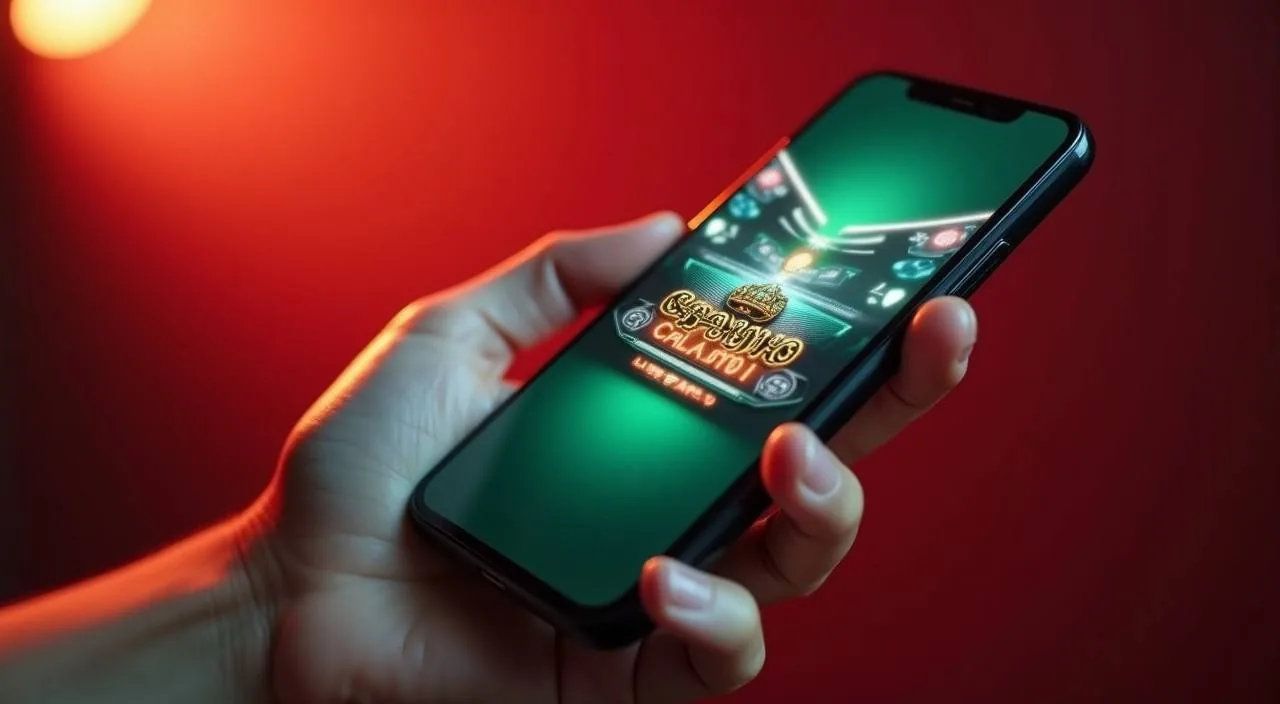
Mobile casino lobby
Popular Live Slots
Cricket Score Chase Roulette GlowSpin Holdem MiniBets
MOBILE LOBBY

Built for phones, clear on desktop

Cards, tables, FAQ and policy pages stay easy to read on smaller screens.

  • Quick categories
  • Mobile first
  • Access
App
CONTENT / 03

Using dkh888 on Your Phone or Tablet

The dkh888 platform is accessible through the mobile browser on your phone or tablet without a separate download. Open the site address in your phone's browser — Chrome or the default Samsung browser on Android, Safari on iPhone — and the layout adjusts to your screen size automatically.

  • Browser Access

    No download required. Open dkh888 in your mobile browser and the layout adjusts for your screen automatically. The full account, cashier and lobby functions are available through the browser version on both Android and iPhone.

  • Home Screen Shortcut

    Add dkh888 to your phone's home screen through the browser share menu. On Android, use Add to Home Screen from the browser menu. On iPhone, use the share icon in Safari. The shortcut opens the site directly, skipping the browser address bar.

  • Nagad and Upay on Mobile

    Both Nagad and Upay are phone-based wallets, which makes mobile the natural place to manage deposits and withdrawals using those methods. The deposit and withdrawal forms in the mobile browser access the same cashier as the desktop version.

ACCOUNT DESK

Account information

Review current account information after signing in.

Login
PLAYER INDEX / 07

Common Questions About the dkh888 Platform

These questions cover the account, payments and lobby navigation that come up most often for Bangladesh accounts. If your question is not here, the support page has the contact details for the team.

Player guide and glossary
  • Which payment methods does dkh888 support for Bangladesh accounts?

    dkh888 supports Nagad, Upay and Bank Transfer for eligible Bangladesh accounts. Each method needs to be added and verified through the account payment settings page before it can process transactions. The verification fields and any required steps are shown on screen when you add a method.

  • How do I add Nagad or Upay to my account?

    Sign in, go to account payment settings, and select the method you want to add. Enter your registered Nagad or Upay mobile number in the field provided and follow the verification steps shown on screen. Once the verification is confirmed, the method appears as an active option in the cashier for both deposits and withdrawals.

  • Is my wallet balance shared between the sportsbook and casino sections?

    Yes. The account wallet at dkh888 is a single balance used across the sportsbook, live casino and slots sections. There is no transfer step required when you move between sections. A deposit made through Nagad covers cricket betting, live tables and slot play without any additional steps. Your transaction history shows all activity across sections in one feed, sorted by date.

  • Does dkh888 work on mobile without downloading an app?

    The full platform is accessible through your phone's browser — no app download is required. Open the site in Chrome on Android or Safari on iPhone and the layout adjusts automatically. You can add the site to your home screen for quicker access using the Add to Home Screen option in your browser's share menu.

  • What sports markets are available, and is cricket covered?

    Cricket is a primary category in the dkh888 sportsbook, covering IPL, BPL and international fixtures. The market list for each scheduled match is shown in the sportsbook section of your account. Football and other sports are also available.

  • Where can I find RTP information for slot games?

    RTP figures are shown only where the game's originating studio makes that data available. To check whether a specific title has RTP published, open the game in the lobby and look for the information panel or rules section within the game interface — the studio's published RTP will appear there if it is provided.

  • What do I do if a withdrawal has not been processed?

    Check the transaction history page in your account first — each withdrawal request has a status that updates as it moves through the process. If the status shows as pending beyond the time frame suggested in the cashier, contact support through the channel on the contact page. Include your account reference and the transaction ID shown in your history.

Full glossary
LOBBY / 02

One mobile lobby, distinct game areas

Cricket Score Chase Sports Cricket Score Chase Access → Roulette GlowSpin Live Roulette GlowSpin Access → Holdem MiniBets Slots Holdem MiniBets Access → Football SuperGoal Sports Football SuperGoal Access → Crash Dynamite Slots Crash Dynamite Access → Teen Patti Fast Hand Slots Teen Patti Fast Hand Access →
EXPLORE FURTHER / 04

Explore detailed guides

Local lobby check

QUICK ANSWERS

Frequently asked questions

Questions specific to account creation, verification, login access and eligibility for Bangladesh regions. For payment-specific questions, the Payment Methods section above covers those in more detail.

Read FAQ →
How do I open a dkh888 account?

Go to the registration page and complete the form — you will need to provide your email address, set a password and fill in the identity fields shown. After submitting, check your email for a confirmation message and follow the activation link inside it.

Is dkh888 available to players in Bangladesh?

Availability depends on your local law and the eligible regions confirmed during account registration. dkh888 does not make legal determinations on behalf of individual accounts.

What do I do if I cannot log in to my account?

The login page has an account recovery option for forgotten passwords — follow the steps shown there, which will send a reset link to your registered email address. If you are being prompted about an unrecognised device or seeing an access restriction message, read the on-screen instructions carefully as they describe the specific step required.

Can I use my account on both mobile and desktop?

Yes. Your account, wallet balance and transaction history are the same regardless of whether you access through a mobile browser or desktop. There is no separate mobile account — it is the same login. If you are signed in on one device and open the site on another, you may be prompted to verify the session depending on your account security settings.

Which game studios supply content to the dkh888 lobby?

The dkh888 game lobby sources content from Microgaming, Spadegaming, Habanero, Joker, JDB and PlayStar. These studios supply slot titles, live dealer tables and table game variants. The current catalogue from all six studios is visible inside the lobby with category and studio filters.

How do I contact dkh888 support?

The support contact details are on the contact page, accessible from the site footer without needing to sign in. For account-specific queries such as payment disputes or verification delays, have your account reference and the relevant transaction ID ready before making contact — it shortens the time needed to pull up your case.

What account security steps should I take after registering?

After registering, go to the account security settings page and review the options shown there, including any two-factor verification options that are active for your account. Add and verify your payment method promptly so withdrawals are not delayed later.

READY WHEN YOU ARE

dkh888 game lobby

Access may be available only where local law permits.

Register Login